9 Best Daily Planner Apps in 2026 for a Calm, Realistic Day
The best daily planner apps in 2026, compared: Open Sunsama, Sunsama, Structured, Akiflow, Morgen, TickTick and more. Find the one that fits how you plan your day.
Open Sunsama Team · · Updated · 11 min read
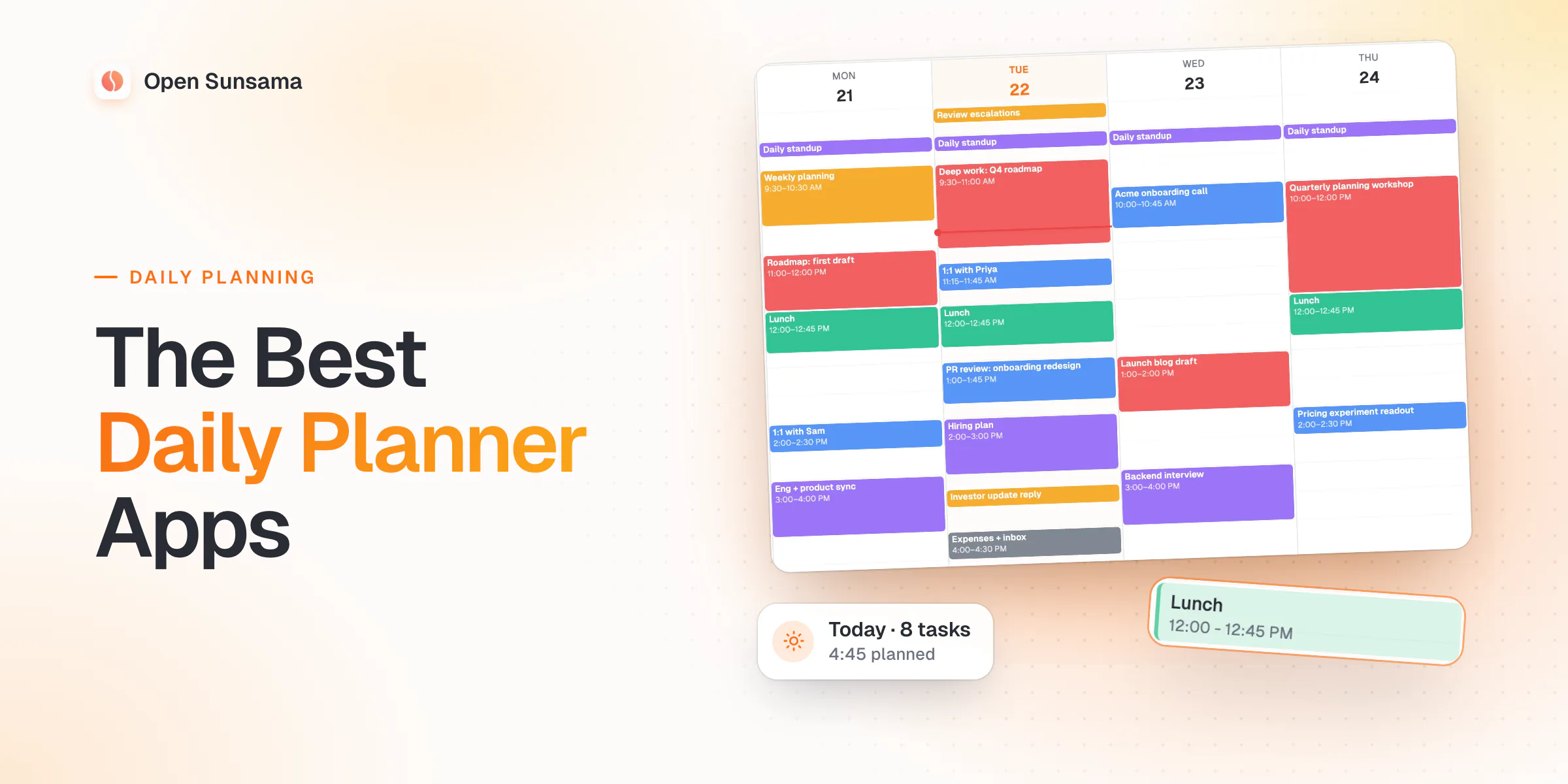
The best daily planner app for most people in 2026 is Open Sunsama. It puts your tasks and your calendar in one place, so you can plan a calm, realistic day in a few minutes. Any AI agent can run it through 47 MCP tools, and the code is open source.
If you want a visual timeline on your iPhone, pick Structured. If you want a guided morning ritual, pick Sunsama. We build Open Sunsama, so we put it first — here is why, and where others fit better.
Key takeaways
- Best overall: Open Sunsama. A board of days, drag-to-calendar time blocking, a focus timer, any AI agent over MCP, and code you can self-host.
- Best visual timeline on a phone: Structured. Your day as one clean timeline on iPhone and Android.
- Best guided daily ritual: Sunsama. A morning plan, now drafted by its Autoplan agent, and an evening shutdown.
- Best for pulling tasks from everywhere: Akiflow. One inbox for tasks from email, chat and other tools.
- Best for many calendars: Morgen. Google, Outlook, iCloud, Fastmail and more in one view.
- Best to-do list with a planner view: TickTick. Lists, a timeline, a Pomodoro timer and habits.
How do the best daily planner apps compare?
| App | Best for | Time blocking | Calendars | AI agents | Platforms | Price (Nov 2026) |
|---|---|---|---|---|---|---|
| Open Sunsama | Best overall | Drag tasks onto the calendar | Google, Outlook, iCloud | Hosted MCP, REST API | Web, Mac, Windows, Linux; early Android and iOS test builds | Hosted app, or self-host for personal use |
| Structured | Visual timeline on a phone | Timeline | Import from Google, Outlook, iCloud (Pro) | None found | iPhone, iPad, Mac, Android, web | Free tier; Pro $29.99/yr or $99.99 lifetime (US) |
| Sunsama | Guided daily ritual | Drag tasks onto the calendar | Google, Outlook, iCloud | Official MCP, Sunny, Autoplan | Web, Mac, Windows, Linux, iOS, Android | $17/mo yearly, $22 monthly |
| Akiflow | Tasks from many tools | Drag and auto-schedule | Google, Outlook, iCloud | Official MCP | Mac, Windows, web, iOS, Android | $19/mo yearly, $34 monthly |
| Morgen | Many calendars | AI Planner you approve | Google, Outlook, iCloud, Fastmail, Zoho, CalDAV | API in early access | All, including Linux | $15/mo yearly, $30 monthly |
| TickTick | To-do list with a timeline | Timeline view | Google; Outlook and iCloud by subscription | Official MCP, API | Phone, computer, tablet, watch | Free tier; Premium $49.99/yr |
| Todoist | Quick capture | Calendar layout (Pro) | Google or Outlook | Official MCP, API | All major platforms | Free tier; Pro $5/mo yearly, $7 monthly |
| Things 3 | Apple users | No | Shows calendar events | URL scheme only | Mac, iPhone, iPad, Watch | One-time: $49.99 Mac, $9.99 iPhone (30% off to 30 Nov) |
| Routine | Tasks, notes and calendar in one | Yes, on paid plans | Google, Outlook, iCloud | MCP; public API "soon" | All, including Linux | Free plan; paid from $5/mo yearly |
Prices and features come from each vendor's own site and App Store page, checked on 23 November 2026.
How did we compare these daily planner apps?
In November 2026 we checked each app's website, pricing page, help docs, App Store page, and MCP or API docs. We looked at five things:
- Can you see if today fits? Tasks and meetings in one view, with time estimates.
- Can you time block easily? Drag a task onto the calendar, then move it when plans change.
- What happens to unfinished tasks? Rollover, so you don't rebuild the list each morning.
- Does it work where you work? Calendars, platforms and phones.
- Can an AI help? An MCP server or API for Claude, ChatGPT and other agents.
We also read user threads on Reddit, Hacker News and Product Hunt. We did not run long trials of every app. We build and use Open Sunsama every day.
1. Open Sunsama: the best daily planner app overall
Verdict: the best daily planner app for most people. You plan a calm, realistic day on your real calendar, and any AI agent can help.
Best for: people who want tasks and meetings in one place, and who want to plan by hand with AI help when they ask.
What it does well:
- A board of days. Columns for Today, Tomorrow and a backlog. Drag tasks between days, and unfinished ones roll over.
- Time blocking by drag and drop. Drop a task on the calendar and resize it. Blocks sync with Google, Outlook and iCloud.
- Planned vs actual. Add an estimate, then the focus timer tracks how long it really took.
- Any AI agent. A hosted MCP server lets Claude, ChatGPT or Cursor read your meetings and plan around them.
- You own it. Public code, a REST API, and self-hosting with Docker.
Where it falls short: the mobile app is early, an Android APK and an iOS TestFlight build that are not in the app stores yet. It has no built-in task imports from Asana or Jira, and no guided planning ritual; your agent drafts the day only when you ask.
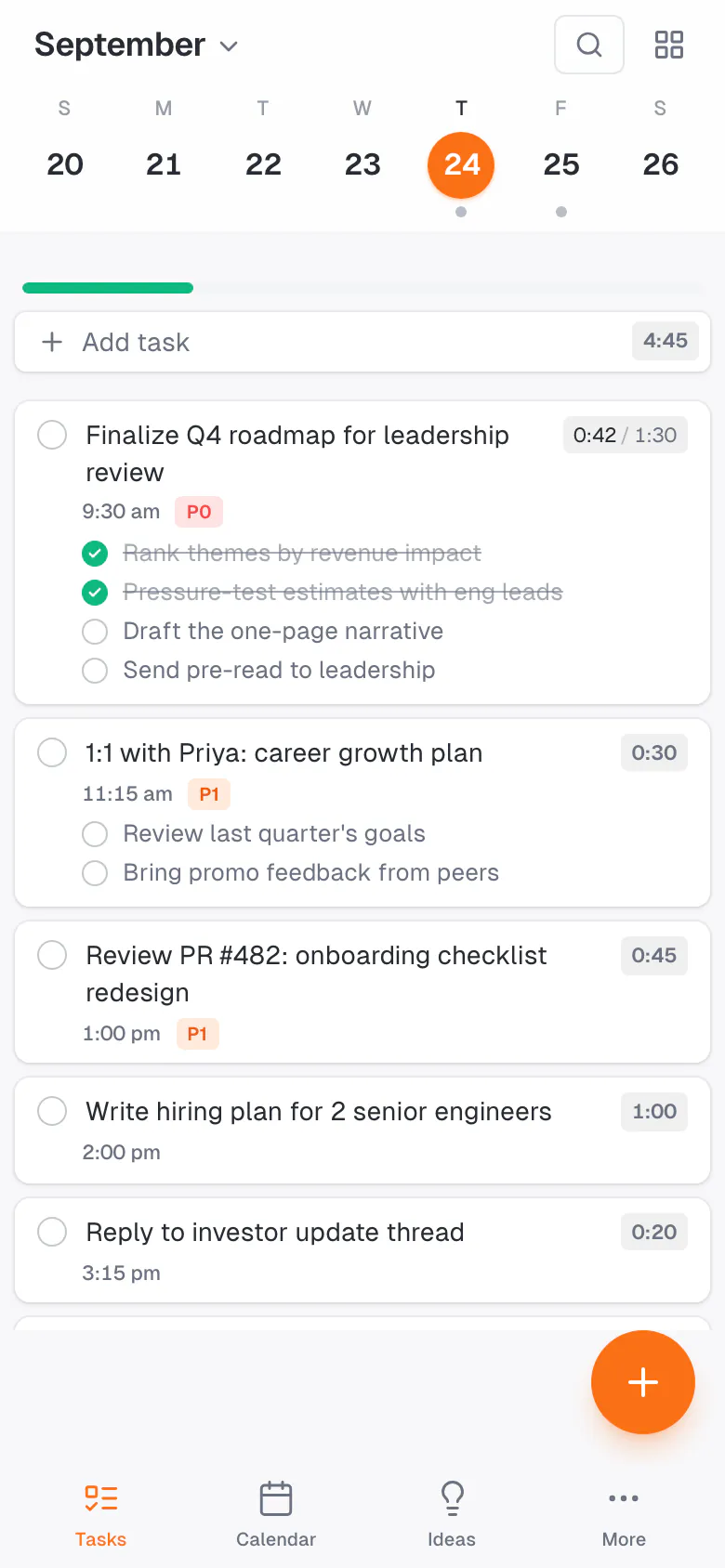
Pick it if you want to plan your day in a few minutes, keep your calendar honest, and let an agent do the busywork. Download the desktop apps for Mac, Windows and Linux.
2. Structured: best visual timeline on a phone
Verdict: the clearest way to see your day on a phone. Tasks and events sit on one vertical timeline.
Best for: iPhone users and visual thinkers who plan on the go.
What it does well: the timeline is easy to read at a glance. Pro adds Structured AI to draft your day, Replan for missed tasks, recurring routines and calendar import.
The timeline, inbox and tasks are free. It runs on iPhone, iPad, Apple Watch, Mac, Android and the web, though the Android and web apps trail the iPhone app.
Where it falls short: calendar import from Google, Outlook or iCloud needs Pro, and it is one-way into Structured. There is no Windows or Linux app, and we found no API or MCP server.
Pick it if you plan mostly on your phone and want a simple timeline. See our Structured vs Sunsama comparison.
3. Sunsama: best guided daily ritual
Verdict: the calmest paid planner. A short morning plan helps you commit to a day that fits.
Best for: people who overplan and want a ritual to start and end each day.
What it does well: Sunsama totals your estimates before you commit. It imports tasks from Asana, Jira, Linear, Notion, Todoist, Trello, Gmail and more.
Its new Autoplan agent, in beta and on for new workspaces, drafts your day from a short prompt in about 2–4 minutes. You review and undo anything before the day starts.
Sunny, its AI assistant, and its official MCP server both left beta in August 2026. Autoplan, a beta AI agent, drafts your day for you to review. It has apps for every platform.
Where it falls short: there is no public REST API and no free plan, only a 14-day trial. Some users say the daily ritual became a 20-minute chore.
Pick it if you want guided planning and lots of task imports. Read our Sunsama review.
4. Akiflow: best for pulling tasks from many tools
Verdict: a strong command center if your tasks arrive from email, chat and project tools.
Best for: busy professionals who juggle many inboxes.
What it does well: one inbox for tasks from your other tools, time blocking, Daily Rituals, and an AI assistant called Aki. It has a hosted MCP server on Pro. Two-way iCloud calendar sync arrived in October 2026.
Where it falls short: there is no public API and no official Linux app. The trial is 7 days and needs a card.
Pick it if your tasks start in many places. See our Akiflow alternatives.
5. Morgen: best for many calendars
Verdict: the best planner if you juggle work and personal calendars across providers.
Best for: consultants and people with several calendar accounts.
What it does well: Morgen syncs Google, Outlook, iCloud, Fastmail, Zoho and CalDAV calendars. Its Planner fits tasks around your meetings and plans again when your day changes, and nothing moves until you approve. It runs on Mac, Windows, Linux, iOS, Android and the web.
Where it falls short: there is no free plan, only a 14-day trial. Its API is in early access, and we found only a community MCP server.
Pick it if calendar sync is your main problem. See Morgen vs Sunsama.
6. TickTick: best to-do list with a planner view
Verdict: a full to-do app that also gives you a timeline for the day.
Best for: people who want lists, habits and a timer in one app.
What it does well: day, week and month views, a timeline, kanban and Eisenhower views, a Pomodoro timer and a habit tracker. It has an official MCP server and a public API. There is a free tier.
Where it falls short: it is a list app first, so planning a realistic day takes more effort. Outlook and iCloud come in as read-only subscriptions.
Pick it if you want one app for tasks and habits. See TickTick vs Sunsama.
7. Todoist: best for quick capture
Verdict: the fastest way to get tasks out of your head. Planning the day comes second.
Best for: people who capture lots of tasks and want natural-language input.
What it does well: quick add, projects, labels and filters. Todoist Assist and Ramble add AI help. It has an official MCP server and a public API.
Where it falls short: the calendar layout for time blocking needs Pro. The free plan connects 1 calendar, and Pro connects 3.
Pick it if capture matters more than planning. Moving over? See our Todoist to Open Sunsama guide.
8. Things 3: best for Apple users
Verdict: a calm, polished to-do app for Mac, iPhone and iPad.
Best for: people who live on Apple devices and want a one-time purchase.
What it does well: Today and Upcoming views show your calendar events next to tasks. A This Evening section splits the day. You pay once: $49.99 on Mac and $9.99 on iPhone.
Where it falls short: no time blocking, no Windows or Android, and no API beyond a URL scheme.
Pick it if you want a simple Apple-only list. See Things 3 vs Sunsama.
9. Routine: best for tasks, notes and calendar in one
Verdict: one workspace for tasks, calendar, notes and meetings, with AI built in.
Best for: people who want notes and planning side by side.
What it does well: it runs on Mac, Windows, Linux, the web, iPhone, iPad, Apple Watch and Android. It syncs Google, Outlook and iCloud, and its pricing page lists an MCP plugin for ChatGPT and Claude.
Where it falls short: time blocking starts on paid plans. Its public API is still marked "soon" on the pricing page.
Pick it if you want your notes and your plan in one app.
How do you plan your day in a daily planner app?
Whichever app you pick, the same five steps give you a calm, realistic day:
- Brain dump. Put every task in the backlog.
- Pick three to five tasks for today.
- Estimate each one. If the total is more than your free time, move something to tomorrow.
- Block time on the calendar between meetings.
- Shut down. Check off what's done and let the rest roll over.
Want more? Read our guide to planning your day or the complete daily planning guide.
Which daily planner app should you pick?
For most people: Open Sunsama. You see your tasks and meetings together, plan a realistic day in minutes, and let any AI agent help.
- If you plan mostly on your iPhone, pick Structured.
- If you want a guided morning ritual, pick Sunsama.
- If your tasks come from many tools, pick Akiflow.
- If you juggle many calendars, pick Morgen.
- If you want a to-do list with habits and a timer, pick TickTick.
- If you only use Apple devices, pick Things 3.
Which guides should you read next?
- Best calendar apps for time blocking.
- Best Sunsama alternatives, compared.
- Best open source planner apps you can self-host.
- Plan your day with Claude in Open Sunsama.
Frequently asked questions
What is the best daily planner app in 2026?
Open Sunsama is the best daily planner app for most people. It puts your tasks and calendar in one place, lets you time block by dragging, and any AI agent can run it through 47 MCP tools. Structured is best for a visual timeline on iPhone, and Sunsama is best for a guided daily ritual.
Is there a free daily planner app?
Yes. TickTick, Todoist, Structured and Routine all have free plans, with limits. Sunsama, Akiflow and Morgen have trials only.
What is the best daily planner app for iPhone?
Structured, if you want a visual timeline on your phone. Things 3 is a good pick for Apple-only to-do lists. Open Sunsama's iPhone app is an early TestFlight build, not in the App Store yet; it also runs as a mobile web app.
Which daily planner app works with Google Calendar?
Most of them. Open Sunsama, Sunsama, Morgen, Akiflow, Routine, TickTick and Todoist all connect to Google Calendar. Open Sunsama, Sunsama and Morgen also sync Outlook and iCloud.
What is the difference between a daily planner app and a to-do list?
A to-do list holds everything you might do. A daily planner helps you pick what fits today and puts it on your calendar, so you can see if the day is realistic.
Can an AI plan my day in a daily planner app?
Yes. Sunsama's Autoplan and Structured AI draft your day inside the app. Open Sunsama, Sunsama, Akiflow, TickTick and Todoist also have MCP servers, so Claude or ChatGPT can read and change your plan. In Open Sunsama, any agent can read your meetings and block time around them.
What is the best daily planner app for Windows or Linux?
Open Sunsama, Sunsama, Morgen and Routine all have Linux and Windows apps. Structured and Things 3 do not run on Windows.