11 Best Open Source To-Do List Apps in 2026 (Self-Hosted, Local)
The best open source to-do list apps and task managers for 2026: self-hosted, desktop, Android and terminal. Real screenshots, licenses and source links.
Open Sunsama Team · · 12 min read
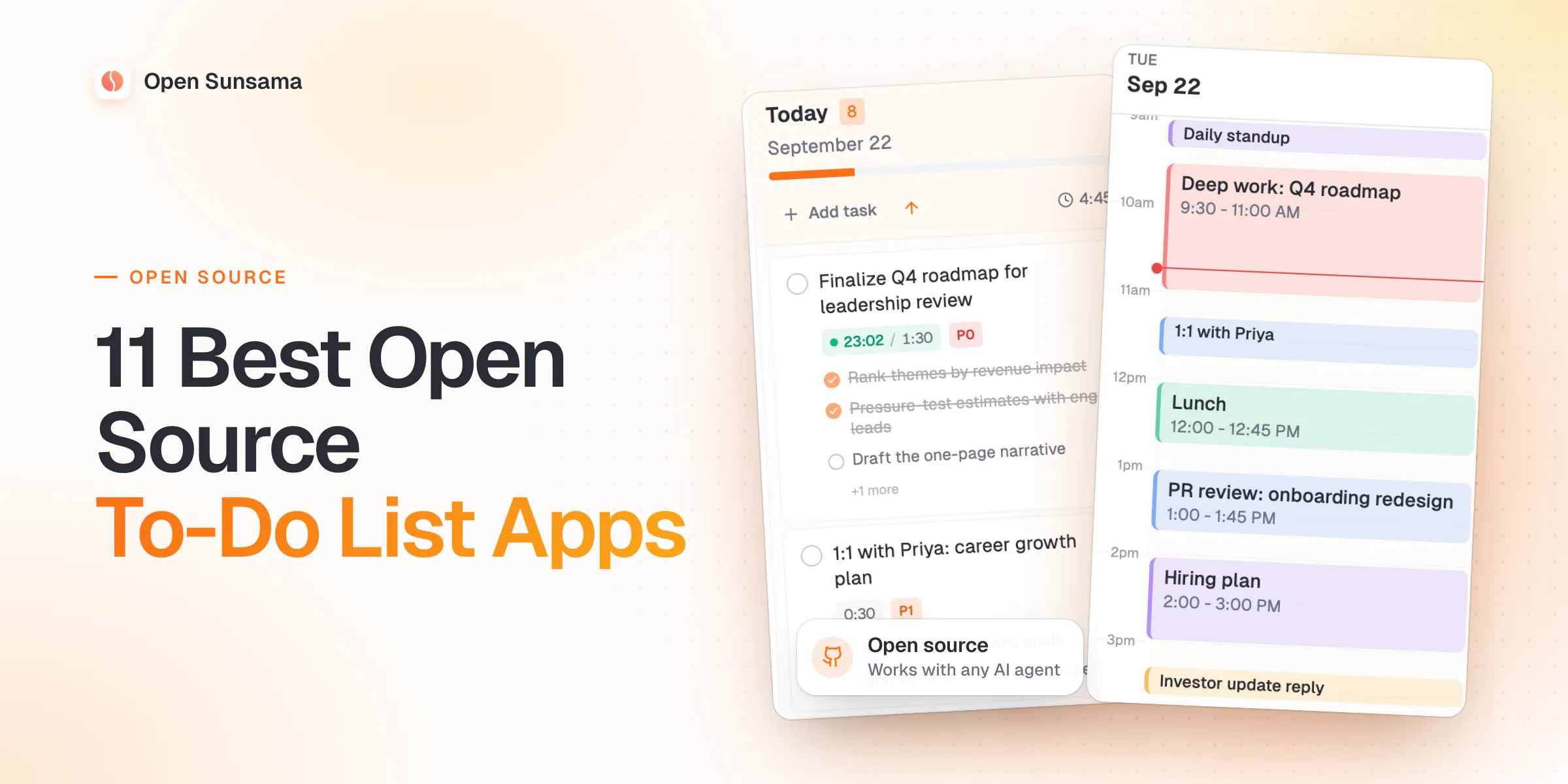
The best open source to-do list app overall in 2026 is Open Sunsama. It keeps your to-do list, your calendar and your day plan in one place, and any AI agent can work in it.
If you want a self-hosted Todoist, pick Vikunja. If you want no server at all, pick Super Productivity. On Android, pick Tasks.org.
We build Open Sunsama, so we put it first — here is why, and where others fit better.
Most open source task managers stop at the list. Open Sunsama also helps you pick what fits today, then blocks time for it on your calendar.
Need an MIT or GPL license, a native phone app, or a list for chores at home? Other apps fit better, and we say which.
Key takeaways
- Best overall: Open Sunsama, a to-do list and daily planner that works with Claude, ChatGPT and any MCP client.
- Best self-hosted Todoist: Vikunja, with list, kanban, Gantt and table views.
- Best with no server: Super Productivity, with apps for desktop, Android and iOS.
- Lightest self-hosted app: tududi, one Docker container with an MCP server built in.
- Best on Android: Tasks.org, synced to your own CalDAV server.
- Best for a family: Donetick, for shared chores that repeat and rotate.
- Best on the Linux desktop: Planify, or Errands for something smaller.
- Best in the terminal: Taskwarrior, or todo.txt for one plain text file.
- Licenses differ. Most apps here use MIT, GPL or AGPL. Open Sunsama uses a non-commercial license.
Open source to-do list apps compared
| App | License | Stars | Latest release | Platforms | Self-host | API | MCP |
|---|
| Open Sunsama | Open Sunsama Non-Commercial License | 65 | v1.0.16 (Sep 2026) | Web, macOS, Windows, Linux, Server | Docker | REST | Official |
| Vikunja | AGPL-3.0-or-later AND GPL-3.0-or-later | 5.5k | v2.6.0 (Aug 2026) | Web, macOS, Windows, Linux, Android, Server | Docker, binary, packages | REST, CalDAV, Webhooks, CLI | Official |
| Super Productivity | MIT | 22.2k | v19.1.0 (Sep 2026) | Web, macOS, Windows, Linux, iOS, Android | Docker (web app, sync server) | REST, Plugins | Community |
| tududi | MIT | 3.4k | v1.5.0 (Sep 2026) | Web, Server | Docker | REST, CalDAV | Official |
| Tasks.org | GPL-3.0-only | 5.6k | 15.12 (Sep 2026) | macOS, Windows, Linux, Android | No | None | Official |
| Donetick | AGPL-3.0-only | 2.6k | v0.1.79 (Aug 2026) | Web, Server | Docker, binary | REST, Webhooks | Community |
| Planify | GPL-3.0-or-later | 5.7k | v4.20.0 (Sep 2026) | Linux | No | CLI | None found |
| Nextcloud Tasks | AGPL-3.0-or-later | 707 | v0.18.1 (Jun 2026) | Web, Server | Nextcloud app | CalDAV | Official |
| Taskwarrior | MIT | 6.1k | v3.5.0 (Aug 2026) | macOS, Linux | Optional sync server | CLI, Plugins | Community |
| Errands | MIT | 520 | 46.2.10 (Dec 2025) | Linux | No | None | None found |
| todo.txt-cli | GPL-3.0-only | 6.2k | v2.14.0 (Sep 2026) | macOS, Linux | No | CLI, Plugins | Community |
Stars, licenses and releases from each project's repository, checked Sep 2026. App names link to the source code.Each app below has its own card. It shows a real screenshot, facts from the project's repo and a link to the source code.
The 11 apps fit four places: your server, your desktop, your phone or your terminal
The list is ranked from 1 to 11. Here is the same list, grouped by where you would use each app.
How we compared these apps
We build Open Sunsama and use it every day to plan our own work. For every other app, we read the license file, the release history, the docs and the issue tracker. We pulled stars and releases from GitHub on 24 Sep 2026.
We captured the screenshots ourselves from each app's demo, web app or official images. The line under each screenshot says where it came from.
We did not use every app for weeks, so we don't claim to have tested them. An app made the list only if it is open source and still gets fixes. When an app is slow to change, we say so.
1. Open Sunsama is the best open source to-do app for planning your day
1. Open Sunsama
A daily planner with a kanban board of days, time blocking, focus mode and a hosted MCP server for AI agents.
Best for: People who want their to-do list, calendar and AI agent in one place.
Note: The code is public under a non-commercial license: you can read, run and self-host it for personal use. Companies need a commercial license.
 Captured from the Open Sunsama web app
- License
- Open Sunsama Non-Commercial License
- Stars
- 65 (as of Sep 2026)
- Latest release
- v1.0.16 (Sep 2026)
- Language
- TypeScript
- Platforms
- Web, macOS, Windows, Linux, Server
- Self-host
- Docker
- API
- REST
- MCP
- Official
Source code · Website · Docs · Facts checked Sep 2026
Verdict: best overall. It is a to-do list that also plans your day, so you stop carrying a wall of tasks from one week to the next.
Plan your whole day in one place with Open Sunsama
Each day is a column on a board, next to your backlog. You drag what fits into Today. Tasks you don't finish roll over to tomorrow.
Drag tasks from the backlog into Today to plan your day.
Then you drag a task onto the calendar to block time for it. Your Google, Outlook or iCloud events sit next to your blocks, so you see how much time you really have.
- Good: subtasks, notes, file attachments, priorities P0 to P3, recurring tasks, reminders, and Cmd+K to jump anywhere.
- Good: a public REST API and a hosted MCP server, so Claude, ChatGPT or Cursor can add and move tasks for you.
- Good: self-host it with Docker, or use the desktop apps for Mac, Windows and Linux.
- Falls short: there is no iOS or Android app. On a phone, you use the mobile web app.
- Falls short: it has no Todoist importer, and it plans one person's day, not a team's projects.
- Pick it if you want a calm, realistic day, not just a longer list.
Start with the Docker guide, or see how it works as an open source task manager.
2. Vikunja is the closest thing to a self-hosted Todoist
2. Vikunja
A self-hosted to-do app with lists, kanban, Gantt and table views.
Best for: Todoist users who want the same workflow on their own server.
Note: The admin panel, audit logs and time tracking are in the paid Vikunja Pro add-on.
 Official screenshot from vikunja.io, © the Vikunja project
- License
- AGPL-3.0-or-later AND GPL-3.0-or-later (GNU AGPL v3.0 or later (server and web app); GNU GPL v3.0 or later (desktop app))
- Stars
- 5.5k (as of Sep 2026)
- Latest release
- v2.6.0 (Aug 2026)
- Language
- Go
- Platforms
- Web, macOS, Windows, Linux, Android, Server
- Self-host
- Docker, binary, packages
- API
- REST, CalDAV, Webhooks, CLI
- MCP
- Official
Source code · Website · Docs · Facts checked Sep 2026
Verdict: the safest self-hosted to-do app. It is mature and busy, and it shows the same list as a list, a kanban board, a Gantt chart or a table.
- Good: it imports from Todoist, TickTick, Trello and Microsoft To Do.
- Good: CalDAV, reminders, lists you share with other people, a REST API and webhooks.
- Falls short: the Android app is still an alpha, and there is no iOS app. Most people use the web app on their phone.
- Falls short: its MCP server is on the main branch but not yet in a stable release.
- Pick it if you are leaving Todoist and want lists your family or team can share.
Our open source Todoist alternatives guide compares it with Todoist in more depth.
3. Super Productivity is the best to-do app with no server at all
3. Super Productivity
A to-do app with timeboxing, time tracking and focus mode that can pull in issues from Jira or GitHub.
Best for: People who want a local app on every device, with time tracking built in.
 Captured from the web app at app.super-productivity.com
- License
- MIT (MIT License)
- Stars
- 22.2k (as of Sep 2026)
- Latest release
- v19.1.0 (Sep 2026)
- Language
- TypeScript
- Platforms
- Web, macOS, Windows, Linux, iOS, Android
- Self-host
- Docker (web app, sync server)
- API
- REST, Plugins
- MCP
- Community
Source code · Website · Docs · Facts checked Sep 2026
Verdict: the best MIT-licensed to-do app for one person. It works offline, needs no account, and runs on every desktop and phone.
- Good: apps for Linux, macOS, Windows, Android and iOS, plus a web app.
- Good: timeboxing, a Pomodoro timer, time tracking and break reminders.
- Good: it pulls in issues from Jira, GitHub, GitLab, Linear and more, and it can import from Todoist.
- Falls short: it is built for one person. Sync goes through WebDAV, Dropbox or SuperSync, not a shared server.
- Falls short: MCP comes from community servers, not the core app.
- Pick it if you want an app that works offline and tracks where your time goes.
4. tududi is the lightest self-hosted to-do app, with MCP built in
4. tududi
A self-hosted app for tasks, projects, notes and areas, with CalDAV sync and a Telegram bot.
Best for: Home-labbers who want tasks, projects and notes in one small container.
 Official screenshot from the project's README, © the tududi project
- License
- MIT (MIT License)
- Stars
- 3.4k (as of Sep 2026)
- Latest release
- v1.5.0 (Sep 2026)
- Language
- TypeScript
- Platforms
- Web, Server
- Self-host
- Docker
- API
- REST, CalDAV
- MCP
- Official
Source code · Website · Docs · Facts checked Sep 2026
Verdict: the simplest server to run. One container holds your areas, projects, tasks and notes.
- Good: Today, Upcoming and Someday views, plus recurring tasks that can repeat from the day you finish them.
- Good: CalDAV sync with apps like Tasks.org, a Telegram bot for quick capture, and an MCP server in every install.
- Falls short: there is no native phone app. You add the web app to your home screen.
- Falls short: there is no calendar view, so you can't block time for a task.
- Pick it if you want a small list your AI agent can use today.
5. Tasks.org is the best open source to-do app for Android
5. Tasks.org
An Android to-do app, now also on desktop, that syncs with CalDAV, Google Tasks or EteSync.
Best for: Android users who want reminders that fire, synced to a server they control.
Note: Some features and the desktop app need a name-your-price subscription (from $1 a year).
 Official screenshot from the project's Google Play listing, © the Tasks.org project
- License
- GPL-3.0-only (GNU General Public License v3.0 only)
- Stars
- 5.6k (as of Sep 2026)
- Latest release
- 15.12 (Sep 2026)
- Language
- Kotlin
- Platforms
- macOS, Windows, Linux, Android
- Self-host
- No server
- API
- None
- MCP
- Official
Source code · Website · Docs · Facts checked Sep 2026
Verdict: the most complete open source to-do app on Android. It grew out of Astrid, a popular app that shut down in 2013.
- Good: tags, filters, lists, subtasks as deep as you like, widgets and many reminder options.
- Good: it syncs with your own CalDAV server, DAVx⁵, EteSync or Google Tasks. Pair it with Nextcloud, Radicale or tududi.
- Falls short: there is no iOS app, and the desktop app is still early.
- Pick it if your phone runs Android and you want your tasks off Google.
A native app matters here. Self-hosters often say reminders are the weak spot of web-based to-do apps, and a phone app fires them on time.
6. Donetick is the best to-do app for shared chores at home
6. Donetick
A self-hosted app for shared tasks and chores, with flexible repeats and task rotation.
Best for: Families and roommates who share chores that repeat.
 Official screenshot from the project's README, © the Donetick project
- License
- AGPL-3.0-only (GNU Affero General Public License v3.0 only)
- Stars
- 2.6k (as of Sep 2026)
- Latest release
- v0.1.79 (Aug 2026)
- Language
- Go
- Platforms
- Web, Server
- Self-host
- Docker, binary
- API
- REST, Webhooks
- MCP
- Community
Source code · Website · Docs · Facts checked Sep 2026
Verdict: the best self-hosted list for a household. It is built for chores that come back, and for the people who share them.
- Good: you type a task in plain English, like "take the trash out every Monday at 6:15 pm", and it sets the repeat.
- Good: it rotates chores between people and gives points for done tasks.
- Good: a Home Assistant integration, OIDC login, a REST API and webhooks. Alerts go to Telegram, Discord or Pushover.
- Falls short: the phone apps are early: an Android APK and an iOS test build on TestFlight.
- Falls short: it is made for chores, not for planning a work day.
- Pick it if you want one shared list for your home that you run yourself.
7. Planify is the best to-do app for the Linux desktop
7. Planify
A to-do app for the Linux GNOME desktop that syncs with Todoist, Nextcloud or CalDAV.
Best for: GNOME users who want a polished native app, synced with Todoist or Nextcloud.
 Official screenshot from flathub.org, © the Planify project
- License
- GPL-3.0-or-later (GNU General Public License v3.0 or later)
- Stars
- 5.7k (as of Sep 2026)
- Latest release
- v4.20.0 (Sep 2026)
- Language
- Vala
- Platforms
- Linux
- Self-host
- No server
- API
- CLI
- MCP
- None found
Source code · Website · Facts checked Sep 2026
Verdict: the most polished to-do app on the Linux desktop. It looks and feels like a modern GNOME app.
- Good: drag and drop, sections, labels, several reminders per task, recurring tasks and a calendar view to plan your day.
- Good: it syncs with Todoist, Nextcloud or CalDAV, or stays local. A small command-line tool can add and list tasks.
- Falls short: it runs on Linux only, from Flathub. There is no phone or web app.
- Pick it if you live on the GNOME desktop and want a native app.
8. Nextcloud Tasks is the best pick if you already run Nextcloud
8. Nextcloud Tasks
The tasks app for Nextcloud, which stores tasks in your own server and syncs over CalDAV.
Best for: Nextcloud users who want tasks next to their files and calendar.
 Official screenshot from the project's README, © the Nextcloud Tasks project
- License
- AGPL-3.0-or-later (GNU Affero General Public License v3.0 or later)
- Stars
- 707 (as of Sep 2026)
- Latest release
- v0.18.1 (Jun 2026)
- Language
- JavaScript
- Platforms
- Web, Server
- Self-host
- Nextcloud app
- API
- CalDAV
- MCP
- Official
Source code · Website · Facts checked Sep 2026
Verdict: the easy choice for Nextcloud users. Your tasks live on your own server as standard CalDAV to-dos.
- Good: any CalDAV app can read them, such as Tasks.org, Apple Reminders or Thunderbird.
- Good: subtasks, due dates, priorities, and lists you can share with other Nextcloud users.
- Falls short: you need a whole Nextcloud server. Recent work on the app is mostly upkeep.
- Pick it if Nextcloud is already your home for files, contacts and your calendar.
If you want the calendar side too, see our open source calendar apps.
9. Taskwarrior is the best to-do app for the terminal
9. Taskwarrior
A command-line to-do list with tags, projects, priorities, due dates and reports.
Best for: Developers who live in the terminal and want reports and scripts.
 Official screenshot from taskwarrior.org, © the Taskwarrior project
- License
- MIT (MIT License)
- Stars
- 6.1k (as of Sep 2026)
- Latest release
- v3.5.0 (Aug 2026)
- Language
- C++
- Platforms
- macOS, Linux
- Self-host
- Optional sync server
- API
- CLI, Plugins
- MCP
- Community
Source code · Website · Docs · Facts checked Sep 2026
Verdict: the most capable to-do list for the command line. It has been around for years and still ships new releases.
- Good: tags, projects, priorities, due dates and an urgency score that sorts your list for you.
- Good: hooks, lots of add-on tools, and an optional sync server called TaskChampion.
- Falls short: there is no official phone or web app, and Windows needs WSL.
- Falls short: you learn a small command language before it pays off.
- Pick it if you want your list one command away.
10. Errands is the simplest to-do list for GNOME
10. Errands
A simple to-do app for the Linux GNOME desktop with sub-tasks and Nextcloud sync.
Best for: Linux users who want a small, clean list with sub-tasks.
 Official screenshot from the project's README, © the Errands project
- License
- MIT (MIT License)
- Stars
- 520 (as of Sep 2026)
- Latest release
- 46.2.10 (Dec 2025)
- Language
- Python
- Platforms
- Linux
- Self-host
- No server
- API
- None
- MCP
- None found
Source code · Website · Facts checked Sep 2026
Verdict: a small, calm list for the Linux desktop. It is part of GNOME Circle, a set of well-made GNOME apps.
- Good: sub-tasks, several lists, drag and drop and a color for each task.
- Good: it syncs with Nextcloud Tasks over CalDAV.
- Falls short: the README says only Nextcloud is known to work well for sync.
- Falls short: stable releases are slow while a rewrite is under way. See the card for the latest one.
- Pick it if Planify feels like more than you need.
11. todo.txt keeps your whole list in one plain text file
11. todo.txt-cli
A shell script that keeps your to-do list in one plain text file, todo.txt.
Best for: People who want a list they can read, search and sync with anything.
 Official screenshot from the project's README, © the todo.txt-cli project
- License
- GPL-3.0-only (GNU General Public License v3.0 only)
- Stars
- 6.2k (as of Sep 2026)
- Latest release
- v2.14.0 (Sep 2026)
- Language
- Shell
- Platforms
- macOS, Linux
- Self-host
- No server
- API
- CLI, Plugins
- MCP
- Community
Source code · Website · Docs · Facts checked Sep 2026
Verdict: the most future-proof list there is. Your tasks are lines in a text file, and a shell script manages them.
- Good: a simple format: (A) for priority, +project for a project and @context for a place or tool.
- Good: many other apps read the same file, on desktop and phone, so you are never locked in.
- Falls short: no reminders and no sync of its own. You sync the file with a tool you already use.
- Pick it if you want a list that will still open in 20 years.
We left out Endeavour, Joplin and source-available apps
A few apps come up often in this search. Here is why they are not in the ranking.
- Endeavour (once called GNOME To Do) is in maintenance mode. Its last stable release, 43.0, came out in November 2022.
- Joplin is a great notes app with to-dos, but notes come first. It is in our open source productivity apps list.
- Kanban boards like WeKan and Kanboard are in our open source kanban boards list.
- Anytype and PLANKA publish their code under source-available licenses, not open source ones.
MIT, GPL and AGPL all let you self-host for yourself; non-commercial adds a limit for companies
The license tells you what you may do with the code. For one person self-hosting an app, MIT, GPL and AGPL all give you full freedom. Their rules only kick in when you share the app, or a changed copy, with other people.
| License |
Apps in this list |
Self-host for yourself |
Change the code |
Use at a company |
| MIT |
Super Productivity, tududi, Taskwarrior, Errands |
Yes |
Yes. Keep the copyright notice. |
Yes |
| GPL-3.0 |
Tasks.org, Planify, todo.txt |
Yes |
Yes. If you give the app to others, share your changes too. |
Yes |
| AGPL-3.0 |
Vikunja, Donetick, Nextcloud Tasks |
Yes |
Yes. If others use your changed copy, even over the web, share your changes. |
Yes |
| Non-commercial |
Open Sunsama |
Yes, for personal use |
Yes, for personal use |
Needs a commercial license |
AGPL closes a gap in the GPL. With the GPL, you only share changes when you hand out the app itself. With AGPL, running a changed copy as a website for others counts too.
Here is Open Sunsama's license in plain words. The code is public on GitHub, under a non-commercial license.
You can read it, run it and self-host it for personal use. Companies need a commercial license.
That is not an OSI license like MIT or GPL. If your company needs one, pick Vikunja, tududi or Super Productivity. Also note that a few open source apps sell extras, like Vikunja Pro or a Tasks.org subscription.
Which one should you pick?
- For most people: Open Sunsama. It turns your to-do list into a plan for the day, with time blocking next to your meetings.
- You use Android: Tasks.org, synced with your own CalDAV server. Super Productivity is a good second.
- You use an iPhone: Super Productivity is the only app here in the App Store. Open Sunsama and tududi run in Safari as web apps.
- You use the Linux desktop: Planify, or Errands for something smaller. Open Sunsama and Super Productivity also have Linux apps.
- You self-host for a family: Donetick for chores, or Vikunja for shared lists and projects.
- You live in the terminal: Taskwarrior, or todo.txt if you want one plain file.
- You want an AI agent to run your list: Open Sunsama, with a hosted MCP server for Claude, ChatGPT and Cursor. tududi has one built in too.
- You need an OSI license at work: Vikunja, tududi or Super Productivity.
Here is what the AI agent line looks like in Open Sunsama. You ask Claude to plan your afternoon, and the tasks and time blocks show up as it works.
Claude plans the afternoon over MCP, and the tasks and time blocks appear live.
Want the next step up from a list? Our open source planner and time blocking apps guide covers apps that put tasks on a calendar. For a whole self-hosted setup, read the self-hosted productivity apps guide, and pair your list with one of the open source focus apps.
Frequently asked questions
What is the best open source to-do list app?
Open Sunsama is our pick overall: it keeps your to-do list, calendar and day plan in one place, and any AI agent can use it. Vikunja is the best self-hosted Todoist. Super Productivity is best if you want no server at all.
Is there an open source to-do app?
Yes, many. Vikunja, tududi and Donetick run on your own server. Super Productivity, Tasks.org and Planify are apps you install. Taskwarrior and todo.txt run in the terminal.
What is the best free open source task manager?
Vikunja, Super Productivity and tududi cost nothing to self-host and use OSI licenses (AGPL or MIT). Open Sunsama is our pick if you also want to plan your day and use an AI agent; its license is non-commercial.
What is the best self-hosted to-do app?
Open Sunsama if you want to plan your day with time blocks, and it runs in Docker. Vikunja if you want a Todoist-style app for a team or family. tududi if you want the smallest setup, and Donetick for shared chores.
Is there an open source to-do app for iPhone and Android?
Super Productivity has apps for both. Tasks.org is the strongest Android app and syncs with your own CalDAV server. Open Sunsama and tududi have no native phone apps; they run as web apps in your phone's browser.
Is Open Sunsama open source?
The code is public on GitHub. It uses a non-commercial license: you can read it, run it and self-host it for personal use. Companies need a commercial license. It is not an OSI license like MIT or GPL.
Which open source to-do apps work with Claude or ChatGPT?
Open Sunsama has a hosted MCP server with OAuth sign-in that works in Claude, ChatGPT and Cursor. tududi ships an MCP server in every install, and the Tasks.org desktop app has one too. Others rely on community MCP servers.