Reclaim AI vs Sunsama (2026): Autopilot or Daily Plan?
Reclaim AI vs Sunsama in 2026: Reclaim guards your calendar all day, Sunsama helps you plan each morning. Compare AI, MCP, apps and prices side by side.
Open Sunsama Team · · Updated · 9 min read
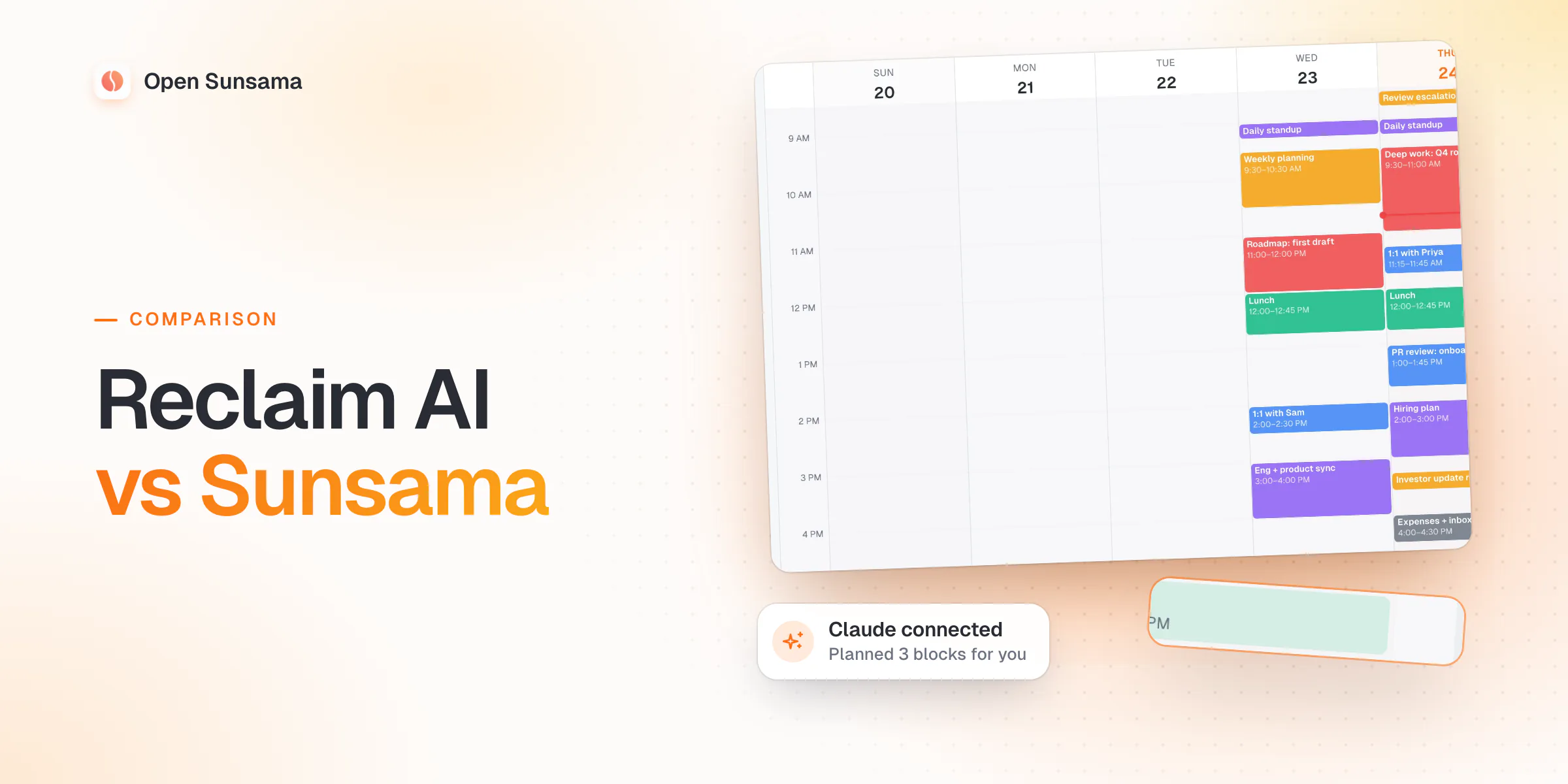
Pick Reclaim AI if your calendar is packed with meetings and you want focus time and habits protected all day. Pick Sunsama if you want to choose your tasks each morning, with an AI draft if you like. That is the Reclaim AI vs Sunsama choice in one line: a calendar on autopilot, or a daily plan you sign off on.
Reclaim Starter costs $10 a seat a month billed yearly; Sunsama Pro costs $17 a month billed yearly. All features and prices below were checked on each vendor's site on 23 November 2026.
Our pick for most people is a third app: Open Sunsama, a daily planner you own that works with any AI agent. We build Open Sunsama, so we put it first — here is why, and where others fit better.
Quick verdict
- Pick Reclaim if you live in Google Calendar or Outlook, have lots of meetings, and want breaks, habits and focus time to defend themselves.
- Pick Sunsama if you want a short morning plan that you approve, tasks from Asana, Jira or Notion in one place, and good phone apps.
- Pick Open Sunsama if you want to plan by hand, let any AI agent help, and own your planner. It is our pick for most people.
Our pick: Open Sunsama
Open Sunsama is our best overall pick. It gives you Sunsama's calm daily planning with AI help you control, on a planner you own.
- Plan the day yourself. A kanban board of days holds Today, Tomorrow and your backlog. Unfinished tasks roll over.
- Block time on your calendar. Drag a task onto the day and resize it. Time blocks sync with Google, Outlook and iCloud.
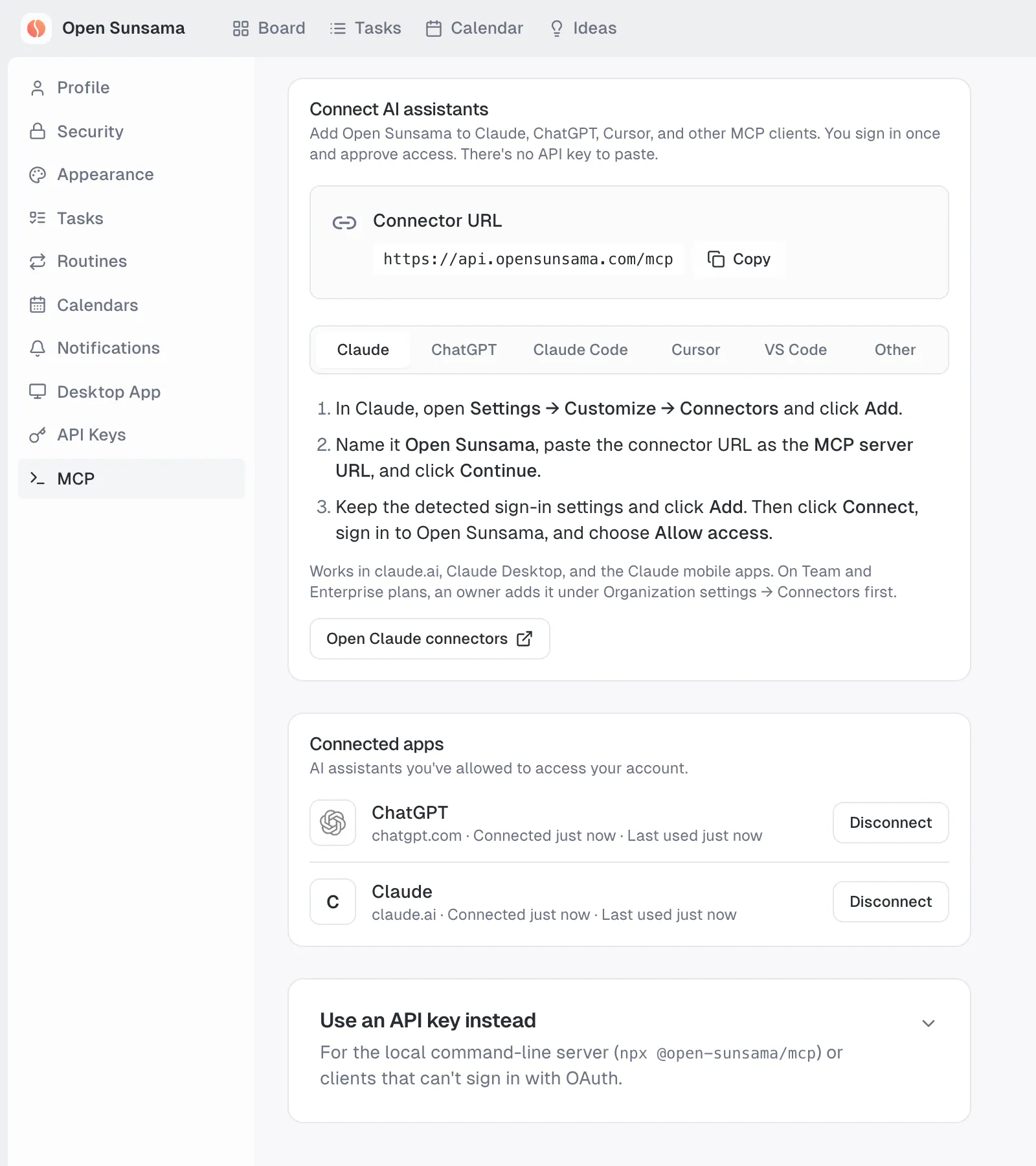
- Let any AI agent help. A hosted MCP server lets Claude, ChatGPT or Cursor read your meetings and plan around them. You see every block it adds.
- Own it. The code is public, you can self-host it with Docker, and there is a REST API with API keys.
It has gaps. There is no auto-scheduler like Reclaim's and no AI planning ritual like Sunsama's Autoplan; your agent plans when you ask it to.
The mobile app is early: an Android APK and an iOS TestFlight build, not in the app stores. There is no built-in Asana or Jira sync like Sunsama's.
See the MCP setup guide or download the apps for Mac, Windows and Linux.
Reclaim AI vs Sunsama at a glance
| Reclaim AI | Sunsama | |
|---|---|---|
| Core idea | Guards your calendar for you | You plan each day, by hand or from an AI draft |
| Who places your work | Reclaim's agents | You, or Autoplan with your sign-off |
| Daily planning ritual | No | Yes: Autoplan (beta) or step by step, plus a shutdown ritual |
| Auto-scheduling | Focus time, habits, breaks and meetings, all day | Autoplan drafts the day when you start it; no re-planning on its own |
| Task sources | Todoist, Asana, Linear, Jira, ClickUp, Google Tasks | Asana, ClickUp, Jira, Linear, Notion, Todoist, Trello and more |
| Calendars | Google, Outlook | Google, Outlook, iCloud |
| Built-in AI | Reclaim Chat, with a preview before changes | Sunny assistant |
| AI agents (MCP) | Official MCP server (read-only on Lite), plus a ChatGPT app | Official MCP server (Pro) |
| Public API | No public API docs found | No |
| Phone apps | None; web app in the browser | iOS and Android |
| Teams | Yes: smart meetings, booking links, team plans | Built for one person |
| Free plan | Yes, Lite | No; 14-day trial, no card |
| Price (Nov 2026) | Starter $10/seat/mo yearly or $12 monthly | Pro $17/mo yearly or $22 monthly |
Sources: Reclaim pricing, Reclaim integrations, Sunsama pricing and Sunsama's MCP docs.
How we compared them
In November 2026 we went through each app's website, pricing page, help docs, changelog and MCP docs. We looked at how each one plans a day, handles a meeting that moves, syncs calendars and works on a phone.
We also read user threads on Reddit, Hacker News and Product Hunt. We did not run a long trial of either app. We build and use Open Sunsama every day.
Who guards your time in Reclaim vs Sunsama?
Reclaim and Sunsama both put work on your calendar. They split on who decides.
Reclaim decides for you. You set rules once: two hours of focus a day, lunch at noon, a gym habit three times a week. Reclaim's agents find the time and defend it.
When a meeting lands on a focus block, Reclaim moves the block. In Reclaim 2.0 it also suggests which tasks to work on in that time.
Sunsama asks you to decide. Each morning you pull in tasks, estimate each one and drag them onto the calendar. Sunsama adds up the hours and warns you when the day won't fit.
Since 2026 you can let Sunsama do that legwork. Its Autoplan takes a short prompt, scans your connected tools and drafts the day in about 2–4 minutes. You review the draft, undo any change, and the day starts.
When a meeting runs late, you move the next blocks yourself or run the planner again. Reclaim does that part on its own.
Where does Reclaim win?
It defends your calendar on its own
Reclaim shines when meetings eat your week. Focus time, habits and buffer breaks rebook themselves as the calendar changes. You can also tag an event to create no-meeting days.
It helps teams
Smart meetings find a slot that works for everyone and move when people's plans change. Scheduling links let others book you. Sunsama doesn't try to do this.
It has a free plan
Reclaim Lite is free for one person, with a one-week scheduling range. Paid plans start at $10 a seat a month, billed yearly.
It previews AI changes
Reclaim Chat lets you ask for changes in plain words. Changes wait in Preview Mode until you approve them. Reclaim also has an official MCP server for Claude, plus a ChatGPT integration.
Where does Sunsama win?
It keeps you in charge
Nothing changes after you sign off on the plan. Autoplan lists every task it moved to another day, so you can keep or undo each one. People who distrust auto-schedulers like that.
It stops you from overplanning
Sunsama totals your estimates before you commit. With planned vs actual time, you learn what a realistic day looks like. The evening shutdown helps you end on time.
It pulls tasks from more tools
Sunsama imports tasks from Asana, ClickUp, GitHub, Gmail, Jira, Linear, Notion, Slack, Todoist, Trello and more. Since October 2026, Sunny can also search those accounts and turn what it finds into tasks. In November 2026 Sunsama added a way to connect any app that has an MCP server.
It has phone apps and iCloud
Sunsama has iOS and Android apps, plus Mac, Windows and Linux apps. It syncs with iCloud calendars too. Reclaim has no native phone app and supports Google and Outlook only.
Do Reclaim and Sunsama both have AI in 2026? Yes, chat and MCP
Older posts say Reclaim has AI and Sunsama doesn't. That is out of date.
- Reclaim's AI runs the calendar. Its agents place focus time, habits and breaks. Reclaim Chat, its MCP server and its ChatGPT app all stage changes in a preview first.
- Sunsama's AI helps you plan. Autoplan drafts the day, and Sunny can create and move tasks, review your schedule and clean up your backlog. Sunny and the MCP server left beta in August 2026.
Neither offers a documented public REST API. Sunsama's API request has been open since December 2019, with 888 votes. We found no public API docs for Reclaim either.
If you want to script your planner or run it on your own server, that is where Open Sunsama differs. It has a public REST API, and its code is on GitHub.
What does a busy Tuesday look like in each app?
Here is a busy Tuesday, based on how each app describes its flow. It is an example, not a measurement: five tasks, four meetings, and one new meeting added at 10am.
In Reclaim, your two focus hours and lunch are already on the calendar. The new 10am meeting lands on your focus block. Reclaim moves the block to the afternoon without you doing anything.
In Sunsama, Autoplan drafted the day at 9am and you approved it in a few minutes. The new meeting overlaps a task block. You drag that task to 3pm and push a smaller one to Wednesday.
Both days can end with the same work done. The Reclaim day takes less effort. The Sunsama day leaves you with a clearer sense of what you chose.
Which one should you pick?
For most people: Open Sunsama. You plan a calm, realistic day yourself, any AI agent can help, and the planner is yours.
If you are choosing only between Reclaim and Sunsama:
Pick Reclaim if you want your calendar on autopilot
- Managers and engineers with more meetings than free time.
- Teams that want smart meetings and booking links.
- People who want habits and breaks to rebook themselves.
- Anyone who wants a free plan to start.
Pick Sunsama if you want a daily plan you approve
- People who overload their day and burn out.
- People whose tasks live in Asana, Jira, Notion or Todoist.
- People who plan on their phone, or use iCloud calendars.
- People who want an AI draft of the day, but the final say on every block.
Which comparisons should you read next?
- Reclaim AI vs Motion vs Sunsama if Motion is on your list.
- Reclaim.ai alternatives, from auto-schedulers to manual planners.
- Motion vs Sunsama for the other big AI scheduler.
- Sunsama review for a deeper look at Sunsama alone.
- Time blocking with AI, with you still in control.
Frequently asked questions
Is Reclaim AI better than Sunsama?
It depends on how you like to plan. Reclaim is better if your calendar is full of meetings and you want focus time and habits defended all day. Sunsama is better if you want to choose your tasks each morning, with or without its AI draft.
Which is cheaper, Reclaim or Sunsama?
Reclaim, on paper. In November 2026 Reclaim had a free Lite plan and Starter at $10 a seat a month billed yearly, or $12 monthly. Sunsama Pro cost $17 a month billed yearly, or $22 monthly, with a 14-day trial and no free plan.
Can you use Reclaim and Sunsama together?
Yes, and some people do. Reclaim guards focus time and habits on the calendar, and Sunsama plans which tasks fill that time. Both edit the same calendar, so expect some overlap and pay for two apps.
Do Reclaim and Sunsama work with Claude or ChatGPT?
Yes. Both have official MCP servers: Reclaim at mcp.reclaim.ai (read-only on the free Lite plan) and Sunsama at api.sunsama.com/mcp. Reclaim also has a ChatGPT app, and both have a built-in AI chat: Reclaim Chat and Sunsama's Sunny.
Does Reclaim have a mobile app?
No. Reclaim's help center says it has no native iOS or Android app and suggests using the web app on your phone. Sunsama has iOS and Android apps.
Does Sunsama auto-schedule tasks like Reclaim?
Partly. Sunsama's Autoplan, in beta and on by default for new workspaces, drafts your day from a short prompt and fits tasks around your meetings. You review the draft. Unlike Reclaim, it does not re-plan on its own when a meeting moves.
What is the best alternative to Reclaim and Sunsama?
Open Sunsama is our pick for most people. You plan a calm day on your calendar, any AI agent can help through its hosted MCP server, and you own your data with a public API and self-hosting.