Super Productivity vs Vikunja (2026): Which One Fits You?
Super Productivity vs Vikunja in 2026: a local-first focus app or a self-hosted task server. Compare features, sync, apps, AI and licenses, and pick the right one.
Open Sunsama Team · · Updated · 9 min read
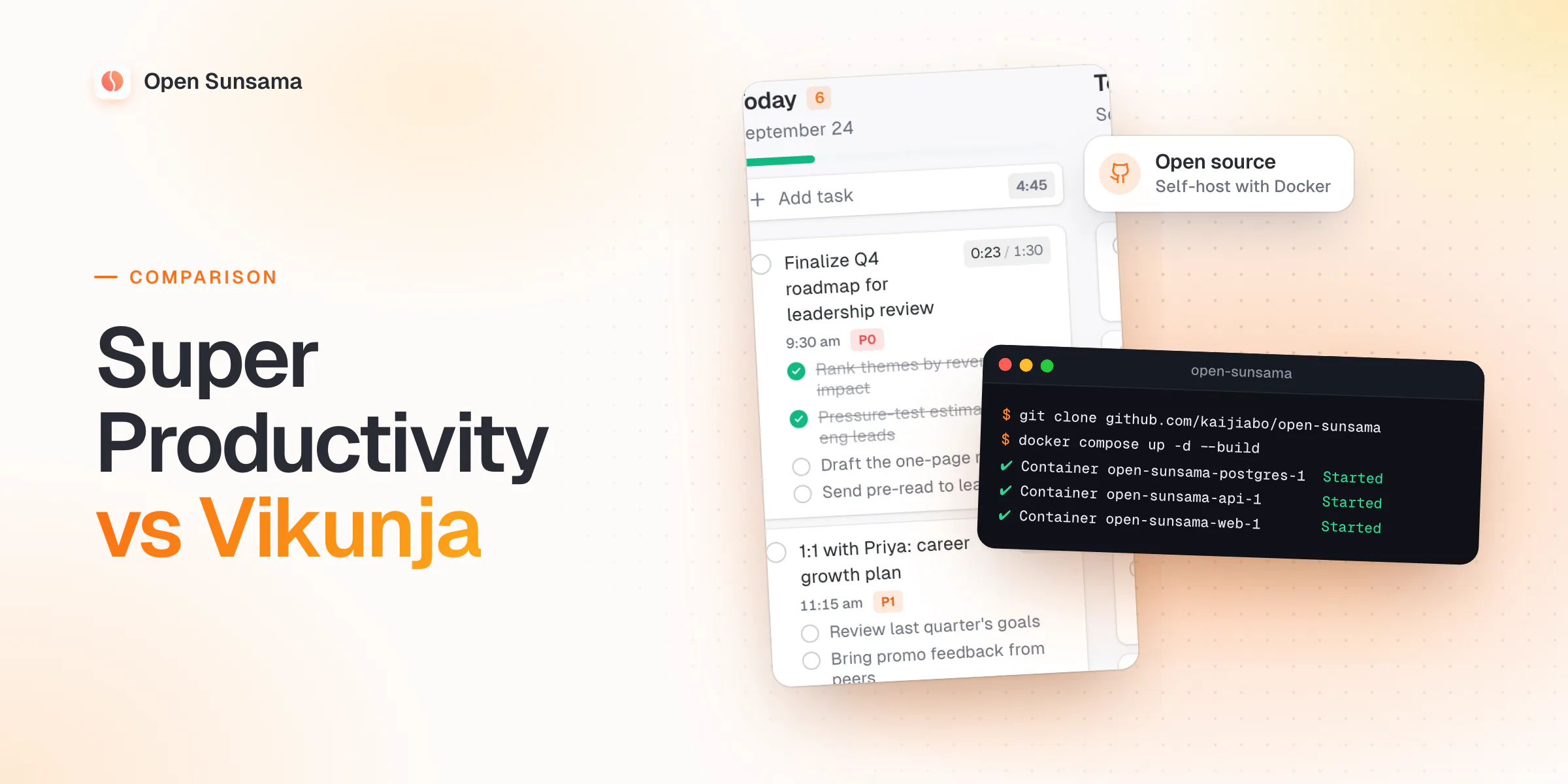
Pick Super Productivity if you work alone, track your time and want no server at all. Pick Vikunja if you want a task server you run yourself and share with family or a team. That is the Super Productivity vs Vikunja choice in one line: an app on your device, or a server you own.
Both are open source and active: in November 2026 Super Productivity shipped v20.1.0 and Vikunja shipped v2.8.0. They just solve different problems.
Our pick for most people is a third option: Open Sunsama. It plans your day on your real calendar and works with any AI agent. We build Open Sunsama, so we put it first — here is why, and where others fit better.
Quick verdict
- Pick Super Productivity if you want timeboxing, time sheets and focus timers on one device, with no account.
- Pick Vikunja if you want a self-hosted Todoist, with kanban, Gantt and shared projects.
- Pick Open Sunsama if you want to plan your day on a calendar, let an AI agent help, and own your data. It is our pick for most people.
Super Productivity vs Vikunja at a glance
| App | License | Stars | Latest release | Platforms | Self-host | API | MCP |
|---|---|---|---|---|---|---|---|
| Open Sunsama | Open Sunsama Non-Commercial License | 184 | v1.2.9 (Nov 2026) | Web, macOS, Windows, Linux, Server | Docker | REST | Official |
| Super Productivity | MIT | 24k | v20.1.0 (Nov 2026) | Web, macOS, Windows, Linux, iOS, Android | Docker (web app, sync server) | REST, Plugins | Official |
| Vikunja | AGPL-3.0-or-later AND GPL-3.0-or-later | 6.1k | v2.8.0 (Nov 2026) | Web, macOS, Windows, Linux, Android, Server | Docker, binary, packages | REST, CalDAV, Webhooks, CLI | Official |
| Open Sunsama | Super Productivity | Vikunja | |
|---|---|---|---|
| Core idea | Plan your day on a calendar | Focus and track time on your device | A to-do server you host |
| Needs a server? | Hosted, or self-host with Docker | No | Yes, or Vikunja Cloud |
| Daily plan | Kanban board of days | Planner timeline for the day | Lists and due dates |
| Time blocking | Drag tasks onto your calendar | Timeboxing in its planner | Gantt view, no day calendar |
| Calendar sync | Google, Outlook, iCloud | Shows calendar events; basic CalDAV | CalDAV for tasks |
| Time tracking | Planned vs actual via focus timer | Yes, with time sheets | Only in the paid Pro add-on |
| Shared projects | No, built for one person | Only through the Plainspace add-on service | Yes, teams and share links |
| Phone | Early app: Android APK, iOS TestFlight | Android and iOS apps | Android app in alpha; web |
| AI agents (MCP) | Hosted MCP server with OAuth | Opt-in local MCP endpoint (v19.3.0) | Built-in MCP server (v2.7.0) |
| API | REST API with API keys | Local REST API and plugins | REST API, webhooks, CLI |
| License | Non-commercial license | MIT | AGPL v3 |
Sources: the Super Productivity README, Vikunja features, the Super Productivity v19.3.0 release notes and the Vikunja v2.7.0 release notes, checked 23 November 2026.
How we compared them
In November 2026 we read each project's README, docs, license, release notes and feature pages. We also read r/selfhosted threads and GitHub issues where users compare the two.
We did not run a long trial of each app. We build and use Open Sunsama every day, and every fact about the other two links to its source.
Where do your tasks live in each app?
Super Productivity lives on your device. You install it and start, with no sign-up and no server. Its site says it collects no data.
If you want your tasks on a second device, you turn on sync. You can use SuperSync, which is end-to-end encrypted and can be self-hosted, or Dropbox, or WebDAV.
Vikunja lives on a server. You run it with Docker or a single binary, then open it in a browser. Every device talks to that server.
That makes sharing easy. You can share a project with a person or a team, or send a link that needs no account. It also means you have one more service to keep running.
Where does Super Productivity win?
It tracks your time for you
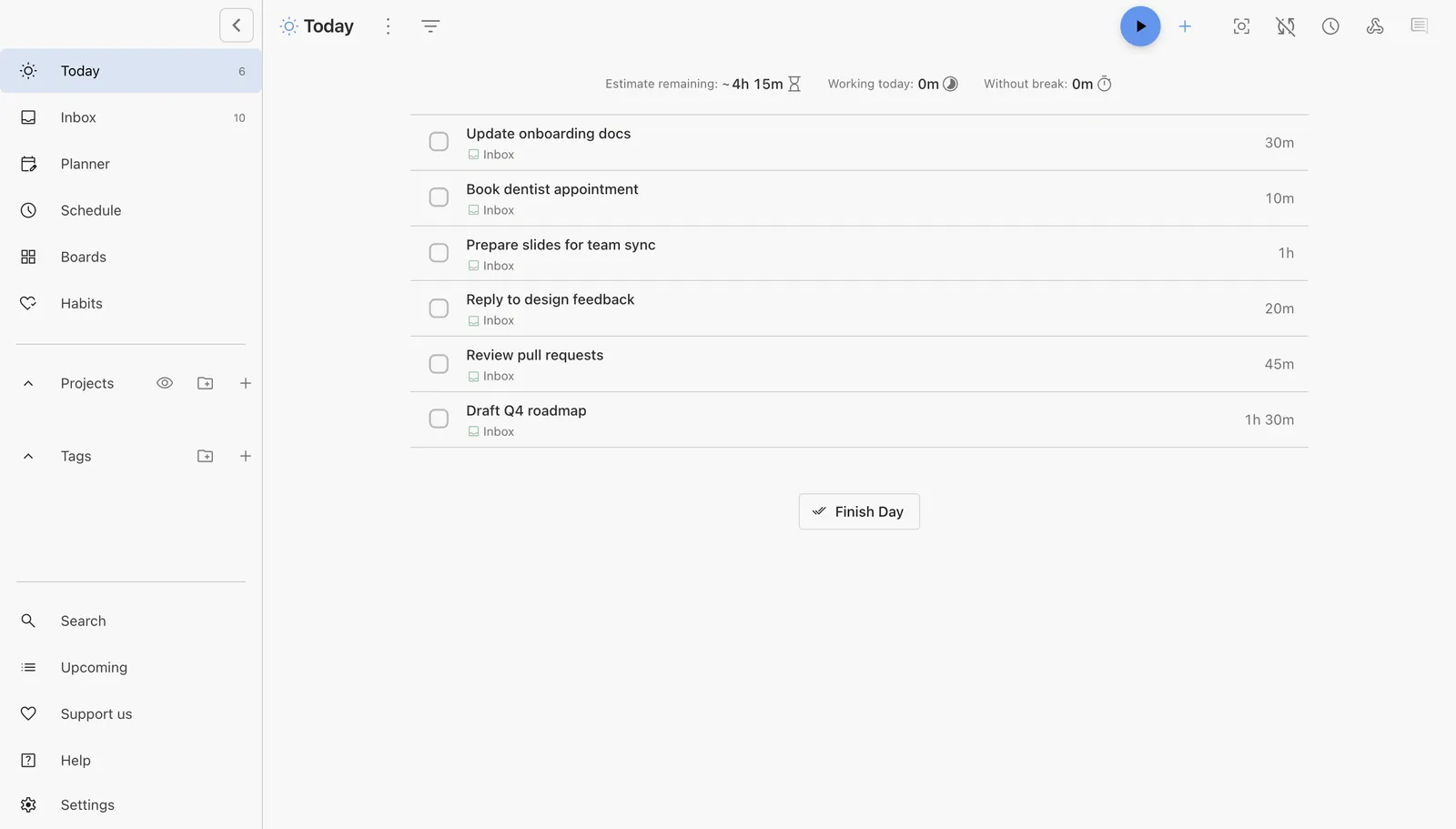
Super Productivity was built for people who bill hours or want to see where the day went. It tracks time per task and turns it into time sheets and work summaries.
It helps you focus
Its focus mode offers Pomodoro, Flowtime and countdown sessions. It also has a break reminder and an anti-procrastination helper.
It pulls in work from dev tools
It can import tasks assigned to you from Jira, GitHub, GitLab, Gitea, Linear, ClickUp, Trello, OpenProject, Redmine, Nextcloud Deck and Azure DevOps. Developers like that their issues land in one list.
It runs everywhere, with no account
There are apps for Linux, Mac, Windows, Android and iOS, plus a web app. The MIT license is as open as it gets.
Since v19.3.0 in October 2026, it also has an opt-in local MCP endpoint. Claude or ChatGPT can add tasks with schedules and repeats.
Where does Vikunja win?
It is a real task server
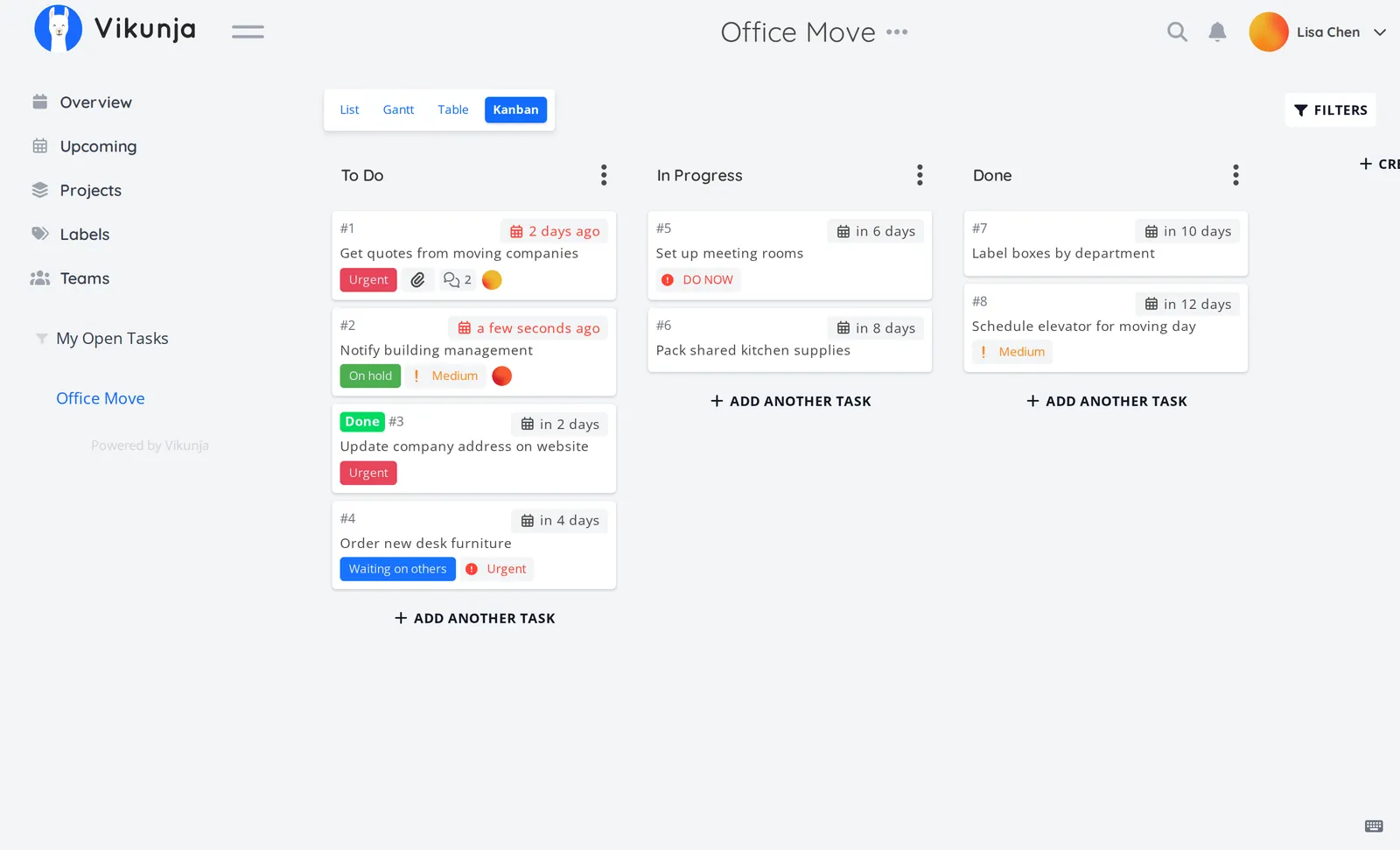
Vikunja is a self-hosted Todoist. You get lists, labels, priorities, due dates, reminders, recurring tasks and subtasks. You can also link tasks across projects.
It has four views of the same tasks
Each project can show as a list, a kanban board, a Gantt chart or a table. Saved filters pull tasks from many projects into one view.
It is built for sharing
You can share projects with users or teams and assign tasks. Families and small teams use it as a shared to-do list on their own server.
It speaks open standards
Vikunja has a REST API, webhooks and CalDAV, so other apps can read your tasks. It imports from Todoist, Trello and Microsoft To Do.
In v2.7.0, released in October 2026, it added a built-in MCP server. Your AI assistant can now work with your Vikunja tasks.
If you don't want to run a server, Vikunja Cloud hosts it for you. The Personal plan costs €4 a month (November 2026).
Where does each one fall short?
Super Productivity is built for one person. Sharing needs Plainspace, a separate service you connect. Its CalDAV support is basic, and its MCP endpoint runs only on your own device.
Vikunja has no day planner and no calendar to block time on. Time tracking sits in the paid Pro add-on, which is in private beta. Phones get a web app or an Android app in alpha, with no official iOS app.
Our pick: Open Sunsama
Open Sunsama is our best overall pick for people choosing between these two. It covers the gap both leave open: planning a realistic day on your real calendar.
1. Open Sunsama
A daily planner with a kanban board of days, time blocking, focus mode and a hosted MCP server for AI agents.
Best for: People who want to plan their day on a calendar, with any AI agent, on a planner they own.
Note: The code is public under a non-commercial license: you can read, run and self-host it for personal use. Companies need a commercial license.
- License
- Open Sunsama Non-Commercial License
- Stars
- 184 (as of Nov 2026)
- Latest release
- v1.2.9 (Nov 2026)
- Language
- TypeScript
- Platforms
- Web, macOS, Windows, Linux, Server
- Self-host
- Docker
- API
- REST
- MCP
- Official
Source code · Website · Docs · Facts checked Nov 2026
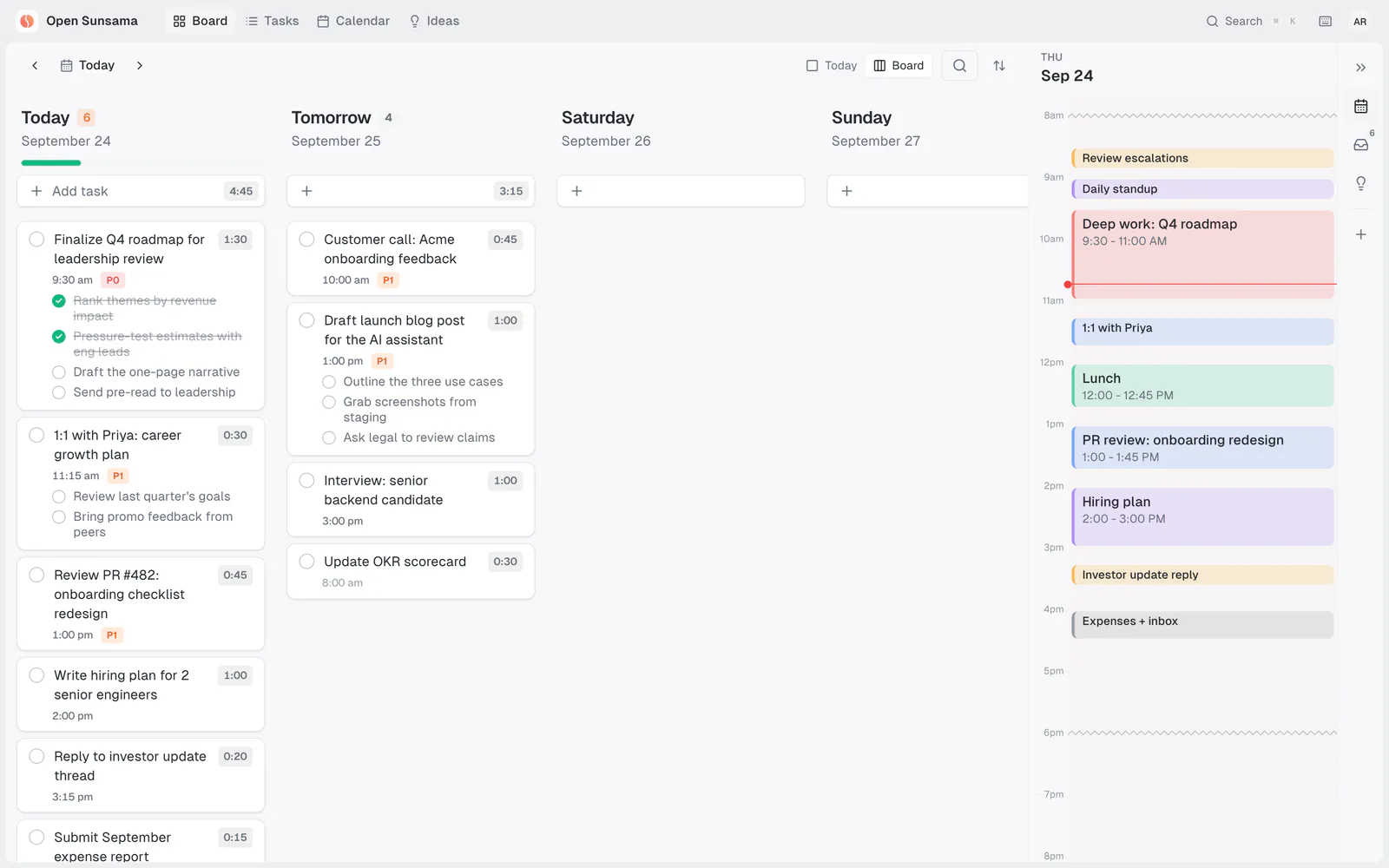
- Plan your day on a board. Columns for Today, Tomorrow and a backlog. Drag tasks between days, and unfinished ones roll over.
- Block time on your real calendar. Drag a task onto Google, Outlook or iCloud calendar time and resize it.
- Let any AI agent help. A hosted MCP server lets Claude, ChatGPT or Cursor read your meetings and plan around them.
- Own it. The code is on GitHub, you can self-host it with Docker, and there is a REST API with API keys.
The code is public on GitHub. It uses a non-commercial license: you can read it, run it and self-host it for personal use. Companies need a commercial license.
It has gaps too. Its mobile app is early: an Android APK and an iOS TestFlight build, not in the app stores yet. There are no Jira or GitHub imports and no shared projects.
Your agent fills some of that gap. Connect Open Sunsama and your other tools to Claude, and ask it to copy today's issues into your plan.
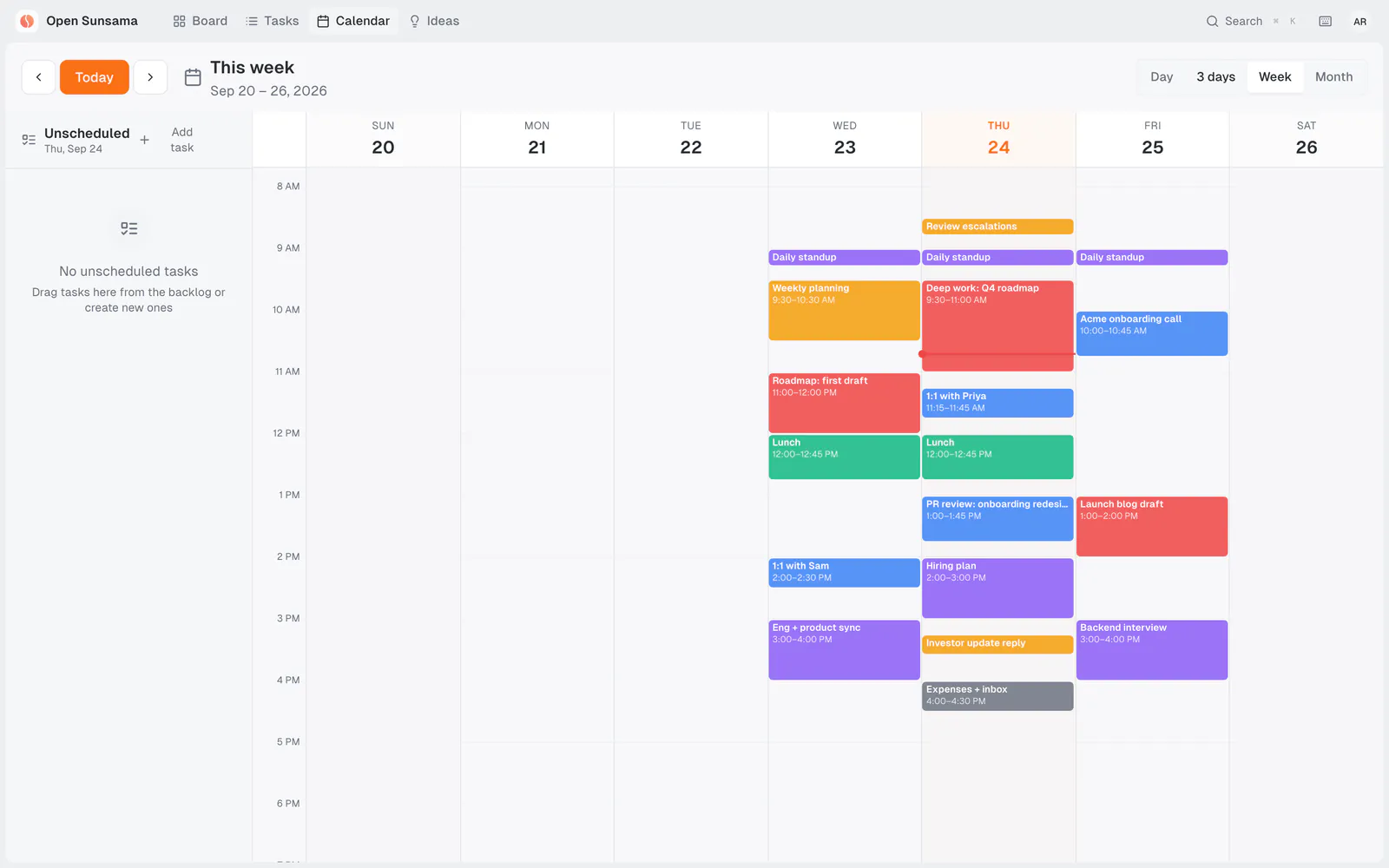
See the MCP setup guide or download the desktop apps for Mac, Windows and Linux.
Which one should you pick?
For most people: Open Sunsama. You get a calm, realistic day on your calendar, help from any AI agent, and a planner you can run yourself.
If you are choosing only between Super Productivity and Vikunja, use these lines:
- If you bill hours or love focus timers, pick Super Productivity.
- If you never want to run a server, pick Super Productivity.
- If your tasks come from Jira or GitHub, pick Super Productivity.
- If you want a self-hosted Todoist with kanban and Gantt, pick Vikunja.
- If you share a to-do list with family or a team, pick Vikunja.
- If you want an MCP server on your own server, pick Vikunja or a self-hosted Open Sunsama.
Both apps up close
2. Super Productivity
A to-do app with timeboxing, time tracking and focus mode that can pull in issues from Jira or GitHub.
Best for: One person who wants time tracking and focus timers with no server.
- License
- MIT (MIT License)
- Stars
- 24k (as of Nov 2026)
- Latest release
- v20.1.0 (Nov 2026)
- Language
- TypeScript
- Platforms
- Web, macOS, Windows, Linux, iOS, Android
- Self-host
- Docker (web app, sync server)
- API
- REST, Plugins
- MCP
- Official
Source code · Website · Docs · Facts checked Nov 2026
3. Vikunja
A self-hosted to-do app with lists, kanban, Gantt and table views.
Best for: People who want a shared, self-hosted to-do server with kanban and Gantt.
Note: The admin panel, audit logs and time tracking are in the paid Vikunja Pro add-on.
- License
- AGPL-3.0-or-later AND GPL-3.0-or-later (GNU AGPL v3.0 or later (server and web app); GNU GPL v3.0 or later (desktop app))
- Stars
- 6.1k (as of Nov 2026)
- Latest release
- v2.8.0 (Nov 2026)
- Language
- Go
- Platforms
- Web, macOS, Windows, Linux, Android, Server
- Self-host
- Docker, binary, packages
- API
- REST, CalDAV, Webhooks, CLI
- MCP
- Official
Source code · Website · Docs · Facts checked Nov 2026
Which open source comparisons should you read next?
- Best open source to-do list apps, with Vikunja and Super Productivity ranked.
- Best open source planner apps for daily planning.
- Self-hosted productivity apps you can run at home.
- Open source Todoist alternatives if you are leaving Todoist.
Frequently asked questions
Is Super Productivity or Vikunja better?
It depends on where you want your tasks to live. Super Productivity is better for one person who tracks time and wants no server. Vikunja is better if you want a task server you run yourself and share with others.
Does Super Productivity need a server?
No. It runs on your device with no account. You can add sync later through SuperSync, Dropbox or WebDAV.
Does Vikunja have a mobile app?
Vikunja has a first-party app in alpha, on the Google Play beta track, and no official iOS app. Most people use the web app in the phone's browser. Super Productivity has apps on Google Play, F-Droid and the App Store.
Do Super Productivity and Vikunja work with Claude or ChatGPT?
Yes, both do now. Vikunja has a built-in MCP server on your own server since v2.7.0 (2 October 2026). Super Productivity added an opt-in local MCP endpoint in v19.3.0 (23 October 2026). Open Sunsama runs a hosted MCP server with OAuth that works in Claude, ChatGPT and Cursor.
Which license do they use?
Super Productivity uses the MIT license. Vikunja uses the AGPL v3 for its server and web app. Open Sunsama's code is public on GitHub under a non-commercial license: you can read it, run it and self-host it for personal use, and companies need a commercial license.
What is the best alternative to Super Productivity and Vikunja?
Open Sunsama is our pick for most people. It plans your day on a board, blocks time on your real calendar and works with any AI agent. Pick Super Productivity for time tracking with no server, or Vikunja for a shared task server.